Decadent Sachertorte: A Chocolate Lover’s Dream!

Hey there, dessert devotees! 🍫 Ready to embark on a chocolatey adventure? This Sachertorte recipe is so rich and indulgent, it’ll make you feel like royalty. It’s so good, even your goldfish will want a bite (but let’s keep it for ourselves). 🐟🍰

Ingredients:

  • 160 g flour (the foundation of our chocolate castle)
  • 160 g butter (because butter is better)
  • 180 g white caster sugar (sweet dreams are made of this)
  • 2 x 160 g hard dark chocolate (the darker, the better)
  • 7 eggs (lucky number seven)
  • 1/2 packet of baking powder (for that perfect rise)
  • 2 x 1-2 tablespoons coffee extract (a little kick of caffeine)
  • Apricot jam (the secret ingredient)
Continue reading “Decadent Sachertorte: A Chocolate Lover’s Dream!”

Cool and Colorful Gazpacho: A Summer Delight!

Hey there, soup enthusiasts! 🥣 Looking for a refreshing and vibrant dish to beat the summer heat? This gazpacho recipe is just what you need! It’s so easy to make, even your cat could do it (but let’s keep the fur out of the kitchen). 🐱🍅

Ingredients:

  • 1 cucumber (cool as a cucumber, literally)
  • 5 beef tomatoes (the beefiest of them all)
  • 3 bell peppers (different colors for a rainbow in your bowl)
  • 1 onion (no tears, just flavor)
  • 1 clove of garlic (for that extra kick)
  • 500 ml vegetable broth (liquid gold)
  • 200 ml tomato juice (tomato on tomato action)
  • Some pieces of bacon (because bacon makes everything better)
  • Salt and pepper (to taste)
  • Some green herbs for decoration (make it fancy)
Continue reading “Cool and Colorful Gazpacho: A Summer Delight!”

The Ultimate Kid-Friendly Cake Recipe: A Piece of Cake!

Hey there, fellow bakers! 🎂 Looking for a fun and easy cake recipe that you can whip up with your little ones? Look no further! This cake is so simple, even your dog could bake it (but let’s stick to the kids for now). 🐶👩‍🍳

Ingredients:

  • 150 g flour (not the kind you give on Valentine’s Day)
  • 150 g butter (because everything’s better with butter)
  • 150 g sugar (sweeten up your life)
  • 3 eggs (the more, the merrier)
  • A pinch of salt (just a pinch, not a punch)
  • 5 g baking powder (for that extra lift)

Optional:

  • Chocolate chips (because why not?)
  • Raisins (if you want to be a little fancy)
Continue reading “The Ultimate Kid-Friendly Cake Recipe: A Piece of Cake!”

Effortless Mornings: Automate Your Espresso Machine with Home Assistant ☕🤖

Who doesn’t love waking up to the aroma of freshly brewed coffee? For many of us, a perfect flat white is the ideal way to start the day. But what if you could automate your espresso machine to turn on just when you need it? With Home Assistant, you can do just that! In this post, I’ll share how I automated my espresso machine to turn on when I drop off my kids at school, ensuring a hot cup of coffee is ready when I get back home. 🚗🏫

How It Works

The automation leverages Home Assistant’s zone feature to detect when I leave the school zone after dropping off my kids. The espresso machine is connected to a smart switch, allowing me to control it through Home Assistant. The machine is turned on only during the morning drop-off times, ensuring it doesn’t activate in the afternoon or evening. If I don’t return home within 20 minutes, the machine is automatically turned off to save energy. 🌍💡

Here’s a step-by-step breakdown of the automation:

Continue reading “Effortless Mornings: Automate Your Espresso Machine with Home Assistant ☕🤖”

Improving Reliability in Larger Zigbee Networks Using Zigbee Groups

In the world of smart homes 🏠, Zigbee networks are a popular choice for connecting a multitude of devices. However, as the number of devices increases, maintaining network reliability can become a challenge. In this article, we’ll explore how using Zigbee groups can reduce network traffic and improve reliability, based on my personal experience with a large Zigbee network.

The Problem

With around 150 devices in my home, I started experiencing issues where some lamps wouldn’t turn on or off as expected. After some investigation 🔍, I discovered that the high traffic on the network was causing these reliability issues. This is a common problem in larger Zigbee networks, where the sheer volume of messages can overwhelm the network.

Continue reading “Improving Reliability in Larger Zigbee Networks Using Zigbee Groups”

Monitor Your Mailbox with Home Assistant Automations

Imagine never having to wonder if there’s mail in your mailbox again. With a simple yet effective home automation setup, you can receive instant notifications on your dashboard whenever mail is delivered. Even better, the system automatically resets the alert when you empty the mailbox, ensuring you always stay updated without any manual intervention. Let’s dive into how you can achieve this seamless automation using Home Assistant and a couple of door sensors.

Implementation

To create this automation, you’ll need two door sensors: one on the inlet of the mailbox and the other on the door you open to retrieve the mail. Here’s a step-by-step breakdown of the YAML code that makes this magic happen:

Continue reading “Monitor Your Mailbox with Home Assistant Automations”

Customizing Badges in Home Assistant: A Complete Guide

In the realm of smart home automation, customization is key to creating a personalized environment. Home Assistant excels in this area, particularly with its badge customization on your dashboard. By displaying dynamic information at a glance—such as current weather conditions, the status of lights, and important alerts—your interface becomes not only visually appealing but also incredibly intuitive. This tailored experience allows you to efficiently manage your smart home while staying informed about essential updates. Dive into the world of badge customization and transform your Home Assistant dashboard into a hub of information and style.

In the realm of smart home automation, customization plays a crucial role in creating a personalized environment. Home Assistant excels in this area, particularly with its badge customization on your dashboard.

With the ability to display dynamic information at a glance—such as current weather conditions, the status of lights, and important alerts—your interface becomes not only visually appealing but also incredibly intuitive. Imagine seeing a weather icon that changes color with temperature fluctuations or showcases device statuses in real-time.

Continue reading “Customizing Badges in Home Assistant: A Complete Guide”

How to Capture and Analyze Memory Dumps from .NET Core Applications in Linux Containers on AKS

When working with .NET Core applications running in Linux containers on Azure Kubernetes Service (AKS), troubleshooting memory-related issues can be a challenging task. One of the most effective ways to investigate such issues is by capturing a memory dump, which provides a snapshot of your application’s memory at a given point in time. This guide walks you through the process of capturing and analyzing memory dumps for .NET Core applications running in AKS.

Prerequisites

Before we get started, ensure that:

  • You have a .NET Core application running in a Linux-based container on AKS.
  • You have access to the Azure Kubernetes Service and can execute kubectl commands.
  • You are familiar with basic Kubernetes and Docker commands.
Continue reading “How to Capture and Analyze Memory Dumps from .NET Core Applications in Linux Containers on AKS”

Enhancing Reliability in ASP.NET Core Containers with Kubernetes Probes

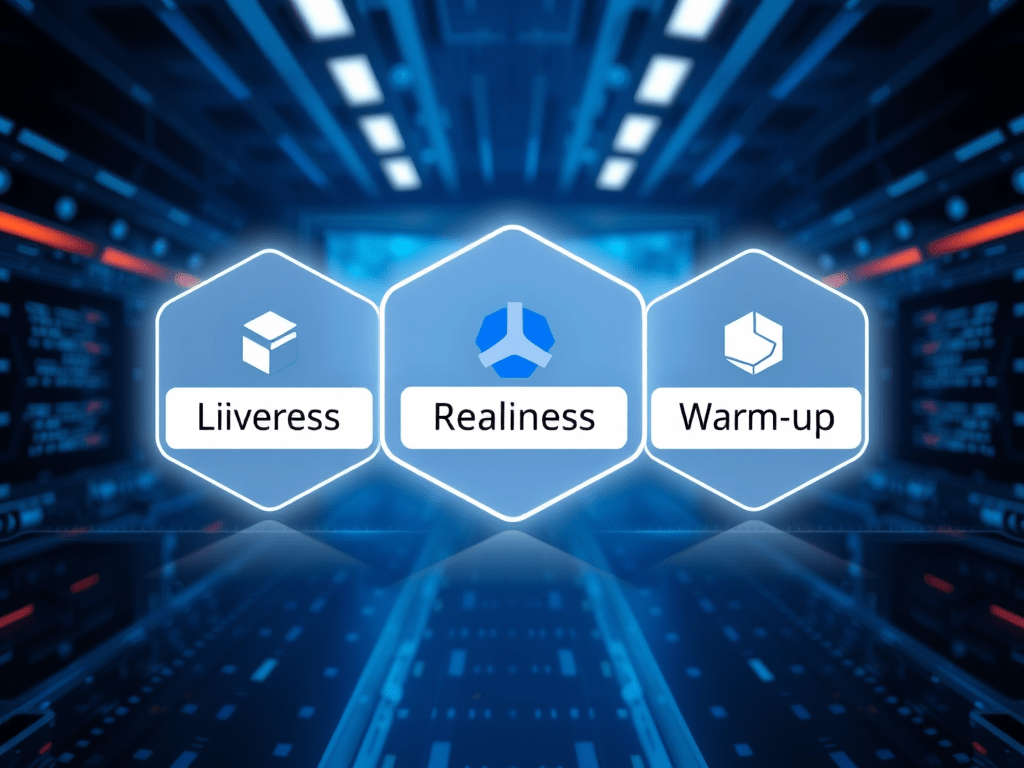
Learn how to implement and configure health checks, including liveness, readiness, and warm-up probes, in your ASP.NET Core application running on Kubernetes. These probes help ensure your application remains healthy by automatically checking its status, reducing downtime. This guide walks you through setting up health checks, configuring Kubernetes probes, and troubleshooting common issues, as well as best practices for maintaining container health and preventing failures.

In a Kubernetes environment, ensuring that your application stays healthy is crucial for uptime and performance. By using liveness, readiness, and warm-up probes, we can detect failures early and prevent downtime. These probes check different aspects of an application’s health:

  • Liveness Probe: Verifies if the application is still running.
  • Readiness Probe: Checks if the application is ready to serve traffic.
  • Warm-up Probe: Ensures the app is fully initialized before accepting requests.

Why Are Probes Essential?

Probes help Kubernetes automatically manage container health, reducing the need for manual intervention when an application faces issues like startup delays, service unavailability, or memory leaks. Proper configuration of these probes ensures that your app is only available when ready and doesn’t waste resources on containers that are unresponsive.

Step-by-Step Guide to Configuring Probes in ASP.NET Core

1. Implementing Health Checks in ASP.NET Core

ASP.NET Core provides built-in middleware to manage health checks. To begin, you’ll need to add the Microsoft.AspNetCore.Diagnostics.HealthChecks package to your project:

dotnet add package Microsoft.AspNetCore.Diagnostics.HealthChecks

In your Startup.cs, configure health checks for liveness and readiness:

public void ConfigureServices(IServiceCollection services)
{
    services.AddHealthChecks()
        .AddSqlServer(Configuration.GetConnectionString("DefaultConnection"));
}
2. Configuring Probes in Kubernetes

Add the probes in your Kubernetes YAML configuration:

livenessProbe:
  httpGet:
    path: /health/liveness
    port: 80
  initialDelaySeconds: 10
  periodSeconds: 5

readinessProbe:
  httpGet:
    path: /health/readiness
    port: 80
  initialDelaySeconds: 5
  periodSeconds: 5
3. Warm-up Logic: Avoid Unnecessary Failures

If your application requires time to initialize or load data, consider implementing a warm-up strategy. A warm-up probe ensures that Kubernetes waits until your app is fully ready before sending traffic to it.

Troubleshooting Common Issues

  • Slow Response: If probes fail because the container responds slowly, consider increasing the timeoutSeconds or failureThreshold to give your app more time to stabilize.
  • Misconfigured Probes: Ensure your paths match the ones defined in your app. Missing or incorrect endpoints can cause probe failures.

Best Practices

  • Use startupProbe for apps with slow startup times.
  • Ensure probes don’t become too aggressive, causing unnecessary restarts.
  • Review probe logs regularly to identify misconfigurations or performance bottlenecks.

Links
https://kubernetes.io/docs/tasks/configure-pod-container/configure-liveness-readiness-probes/
https://docs.microsoft.com/en-us/aspnet/core/host-and-deploy/health-checks?view=aspnetcore-2.2
https://www.hanselman.com/blog/HowToSetUpASPNETCore22HealthChecksWithBeatPulsesAspNetCoreDiagnosticsHealthChecks.aspx

Hosting services in .NET Core console application

In .NET Core, the IHost interface is used to configure and run applications, particularly when implementing background services or hosting long-running processes. By using IHostedService, developers can easily manage these services with built-in support for dependency injection, logging, and graceful shutdown.

Key Concepts:

  • IHost: Initializes and configures services for the application.
  • IHostedService: Represents background services with lifecycle management.
  • Graceful Shutdown: Handling cleanup tasks when the application stops.
Continue reading “Hosting services in .NET Core console application”